
A director, shot by shot
siaive reads your footage and transcript, picks the strongest takes and storyboards the video before it makes a single cut. Approve the plan, or let it run.

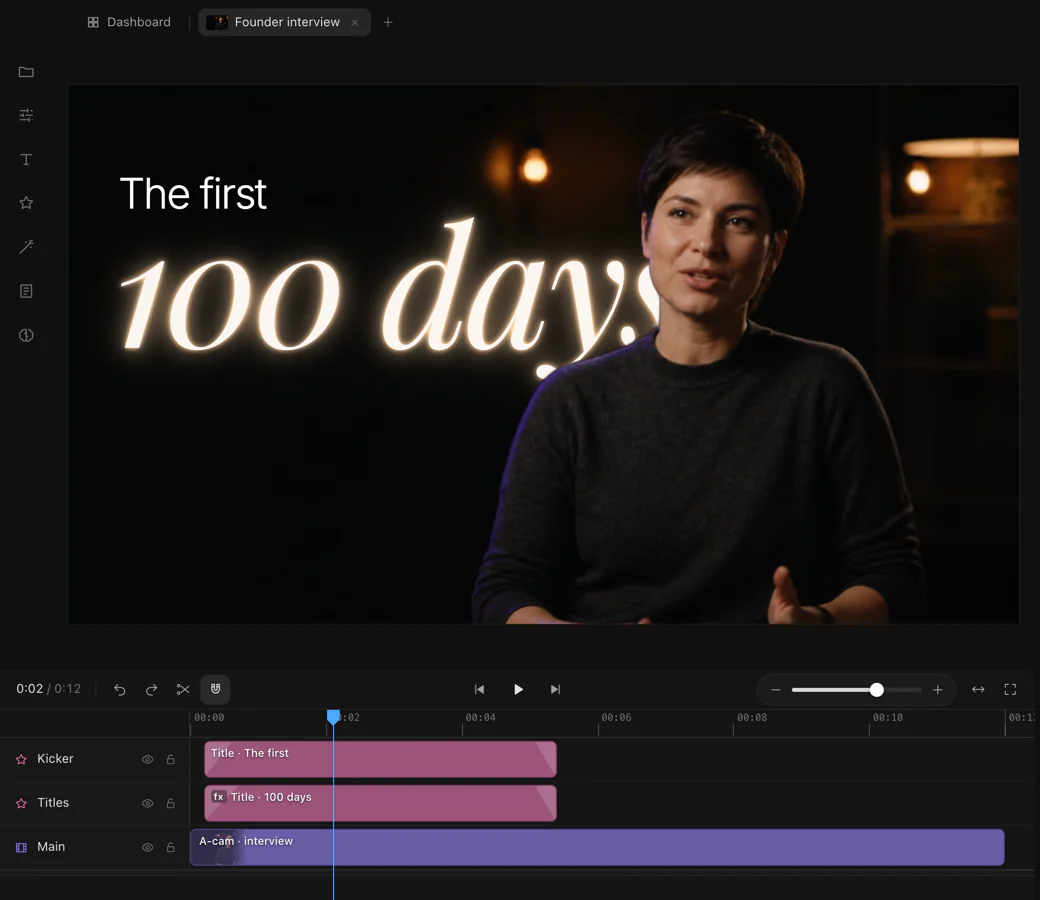
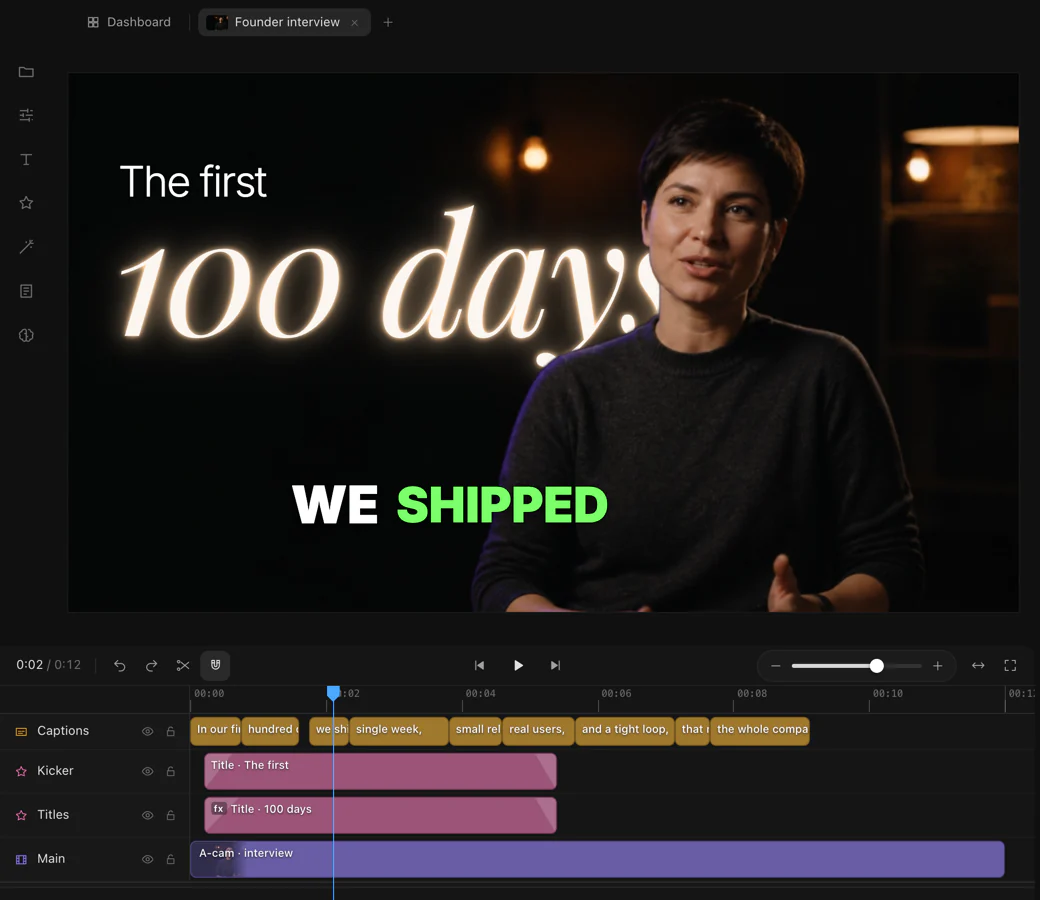
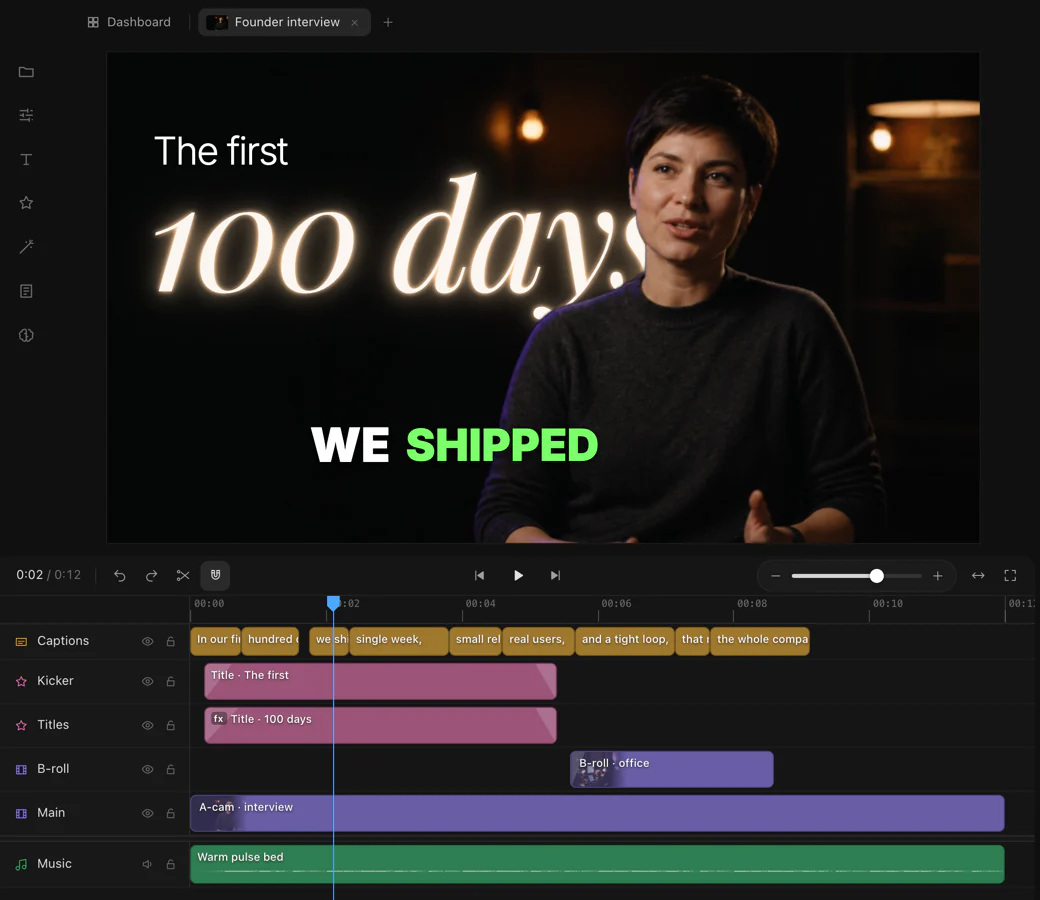

Not a template filler. siaive watches your footage, finds the moments that matter and builds the edit around them, the way an editor would. Every cut stays yours, on a real timeline.
siaive reads your footage and transcript, picks the strongest takes and storyboards the video before it makes a single cut. Approve the plan, or let it run.
Word-accurate captions in styles that move with the voice, placed so they never cover a face.
Titles behind the subject, parallax photos, maps, UI mock-ups and camera moves, built to fit the shot.
Creator and ProMusic cut to the beat, sound effects and stock footage, found and placed for you, with the levels mixed under the voice.
Every edit is a real timeline. Change it in siaive by hand or by asking, export it for every screen, or hand it to Premiere Pro or After Effects.
Hand-off on ProShow siaive a few of your videos and it edits new ones the way you would: pace, captions, graphics and grade.
ProInterviews, screen recordings, a phone full of clips. siaive transcribes and watches all of it.
Ask in your own words, as you would ask an editor. Approve the storyboard, or let it run.
Change anything by asking or by hand, then export for every platform in one go.
Every plan has the whole editor. Plans add AI credits, export quality and the premium tools.
Try siaive on real projects.
For people who publish every week.
For studios and full-time editors.
Prices in Indian rupees. Plans renew automatically by UPI Autopay or card. Cancel any time.
Plan credits refill each month and unused ones expire at the refill; top-up credits never expire.
Credits pay for siaive’s AI: planning, cutting and checking a video use them. Editing by hand, previewing and exporting are free. siaive shows your balance as you work.
Your edits stay as they are. Plan credits refill at the start of each month, and on Creator and Pro you can buy top-up credits that never expire.
Upgrades start at once, and you pay only the difference for the days left. Downgrades and cancellations take effect at the end of the period you’ve paid for. Manage it all from your account.
No. siaive’s AI runs on siaive’s account, paid with credits. You sign in to siaive once, from the app, through your browser.
Start on the Free plan: 150 AI credits every month, no card needed.
